APS Accessible Redesign
Primary Goal
Redesign the APS Journals site to bring it into WCAG AA level accessibility compliance and provide a branding refresh while maintaining as much of their core front-end technical architecture as possible due to time constraints.
My Process
Project Context
Two major factors informed the scope and approach of this project:
- A legal deadline for accessibility compliance that meant the entire project needed to be shipped in less than 6 months and the design completed in 3 months or less.
- Maintaining as much of the current technical front end architecture as possible — the site needed a full rebuild on a new stack, but that was not a possibility given the required timeline. As a result, our redesign scope was limited significantly.
Discovery
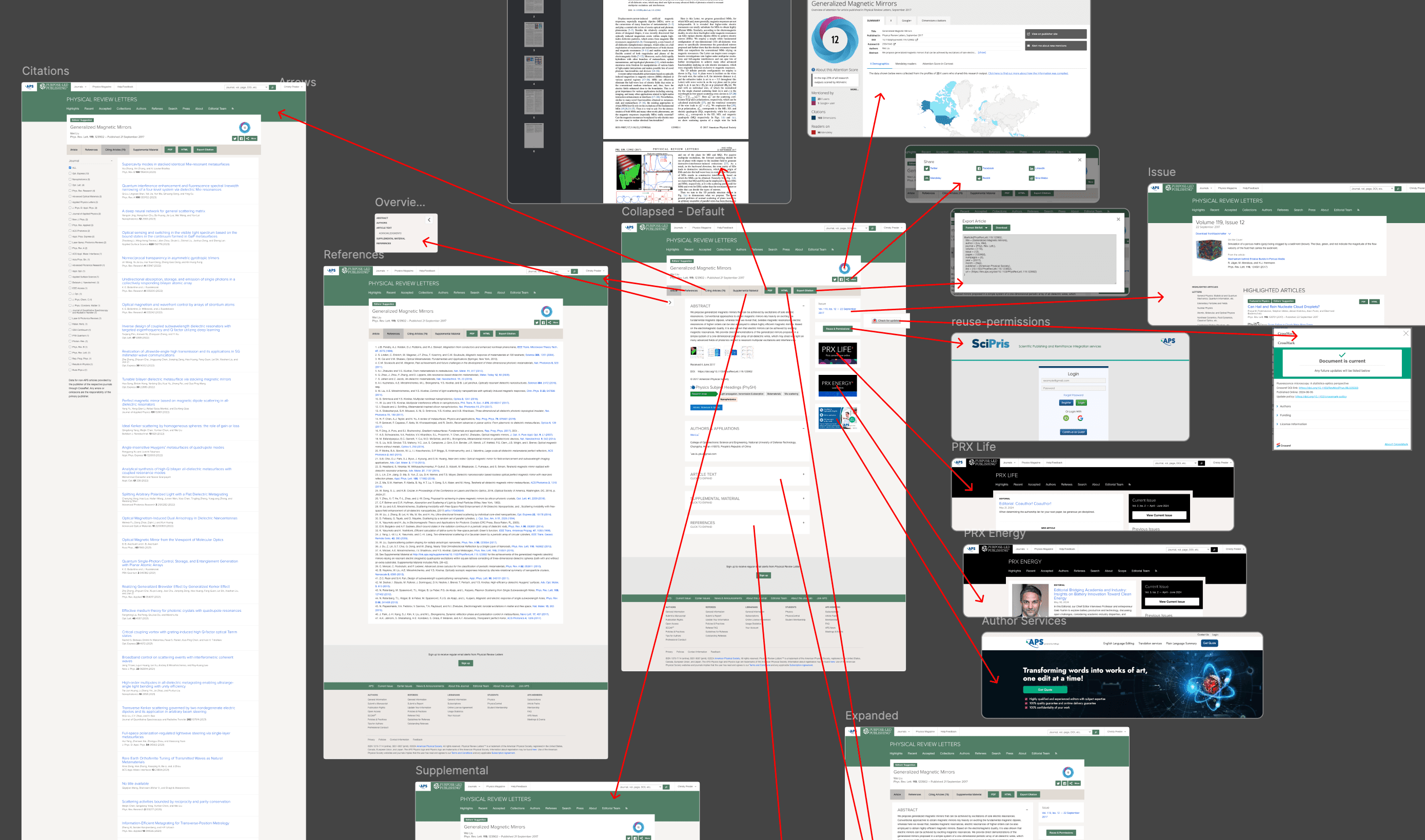
To get a holistic look at the scope of work, and gather a better understanding from the core stakeholders, I created a rough flow map of the core pages of the site using existing screenshots to keep work fast. This process allowed me to uncover for myself many of the key usability and accessibility issues on the site, as well as generate a lot of key discussion questions for stakeholders.
The screenshot flow map, proved to be a useful resource in conducting stakeholder interviews related to the key pages of the redesign: All Journals Page, Journal Homepages, Article Pages, and Search. Having samples of the existing pages and their connected experiences created a useful whiteboarding exercise to jog stakeholder memories and note down issues in context. The flows were never intended for anything more than a research exercise, which enabled everyone to hold them loosely and allow them to exist as an ugly, but useful, mindmap documenting the existing state of things.
After flow documentation and stakeholder interviews I did a thorough review of the existing accessibility audit and walked through all core flows to identify any additional issues that might have been overlooked due to them being more context or UX related. Doing this allowed me to create a checklist of issues for each page/feature that needed to be dealt with during the redesign process.
Design System Foundation
While I was doing UX and accessibility related design discovery my colleague was translating the new brand style guide we had been handed into the foundational primitives needed for us to set up a design system at speed. To keep things moving as quickly as possible (and to help with translating newer front end engineering patterns to the engineering team), we chose to rely heavily on Tailwind as boilerplate with customizations to match core brand colors and typographical requirements.
Once the foundational elements were in place, we split features to work in parallel and keep things moving forward as quickly as possible. I focused on the site navigation, journal sub-navigation, all journals page, and search.
Navigation Redesign
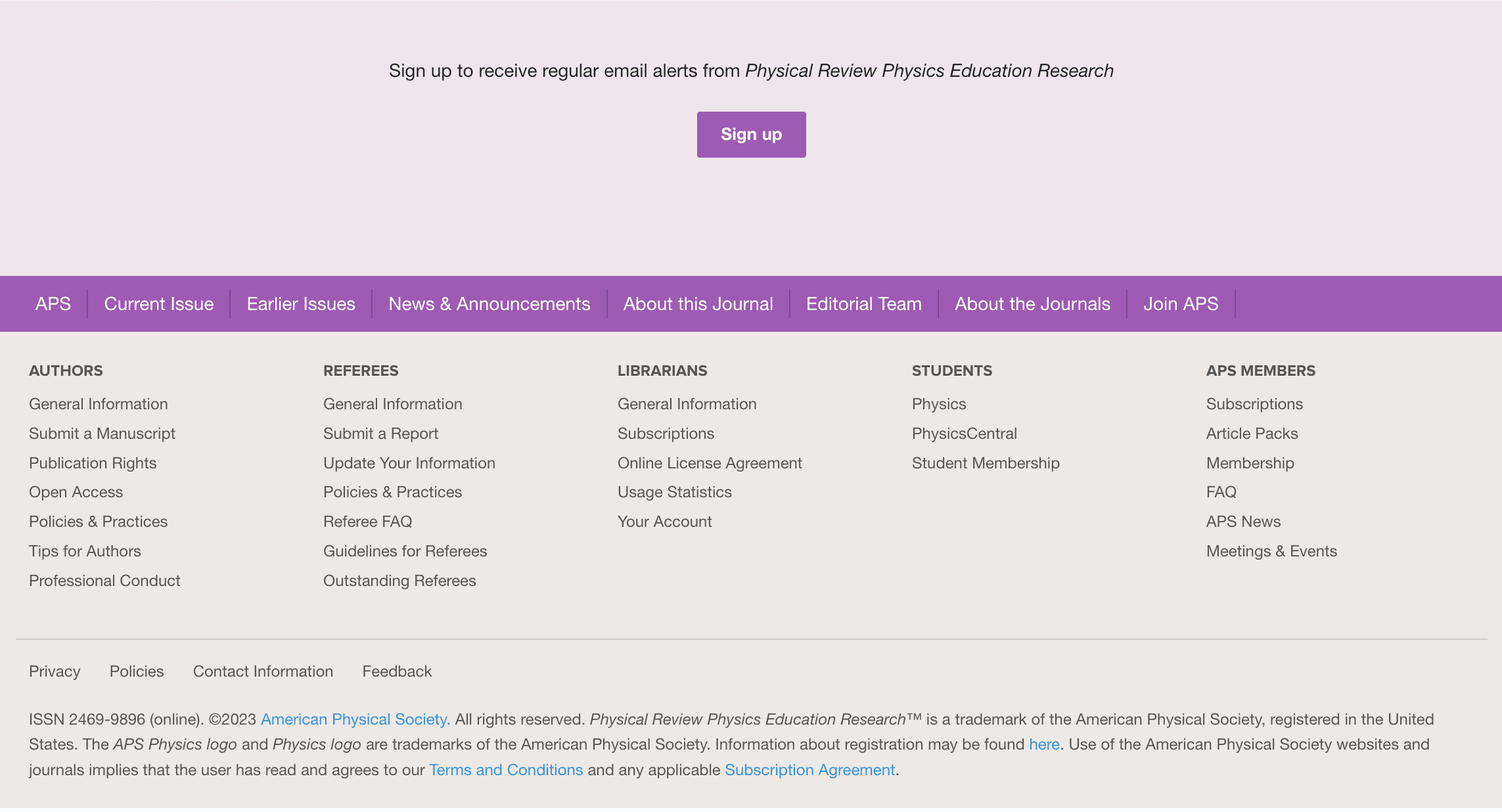
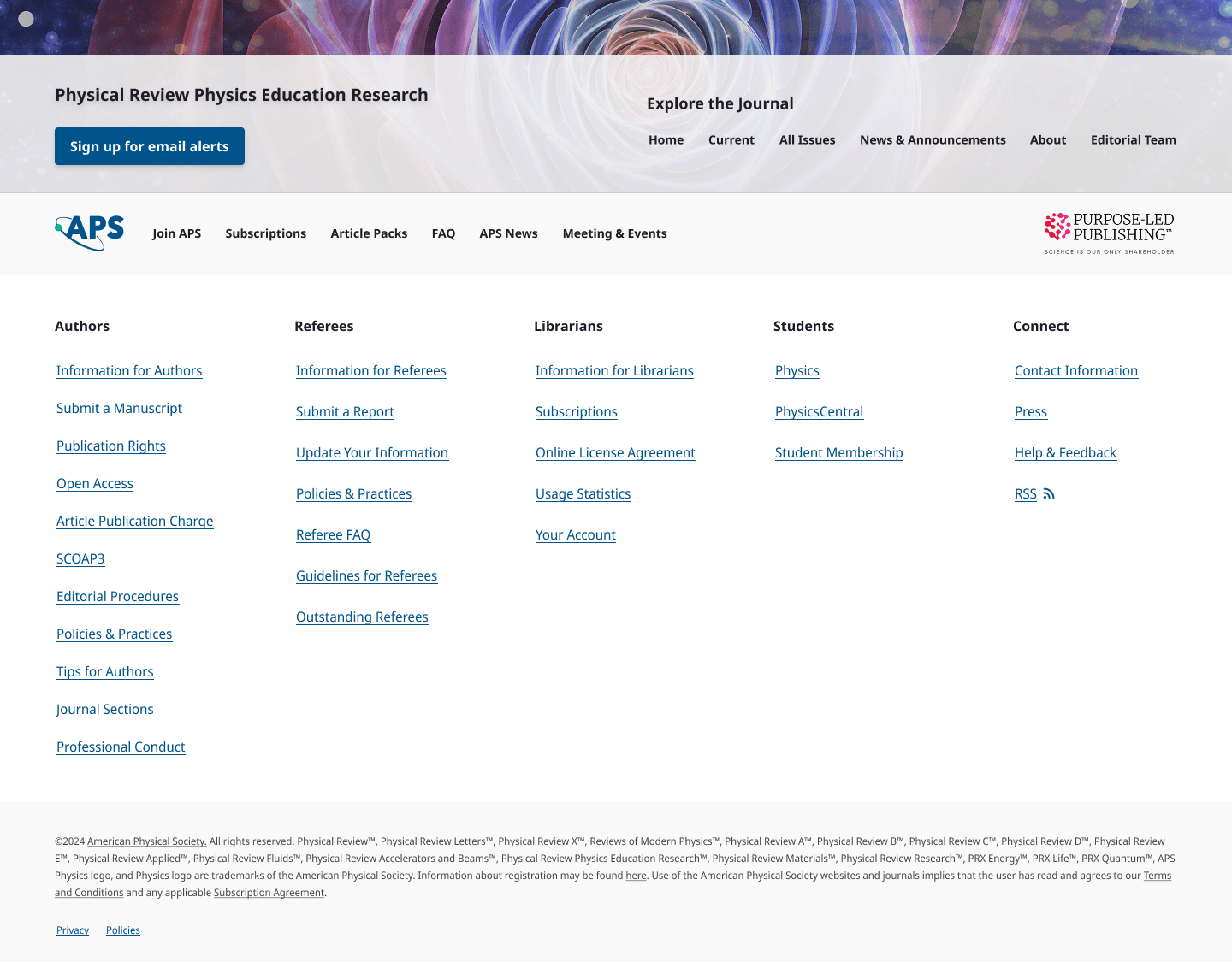
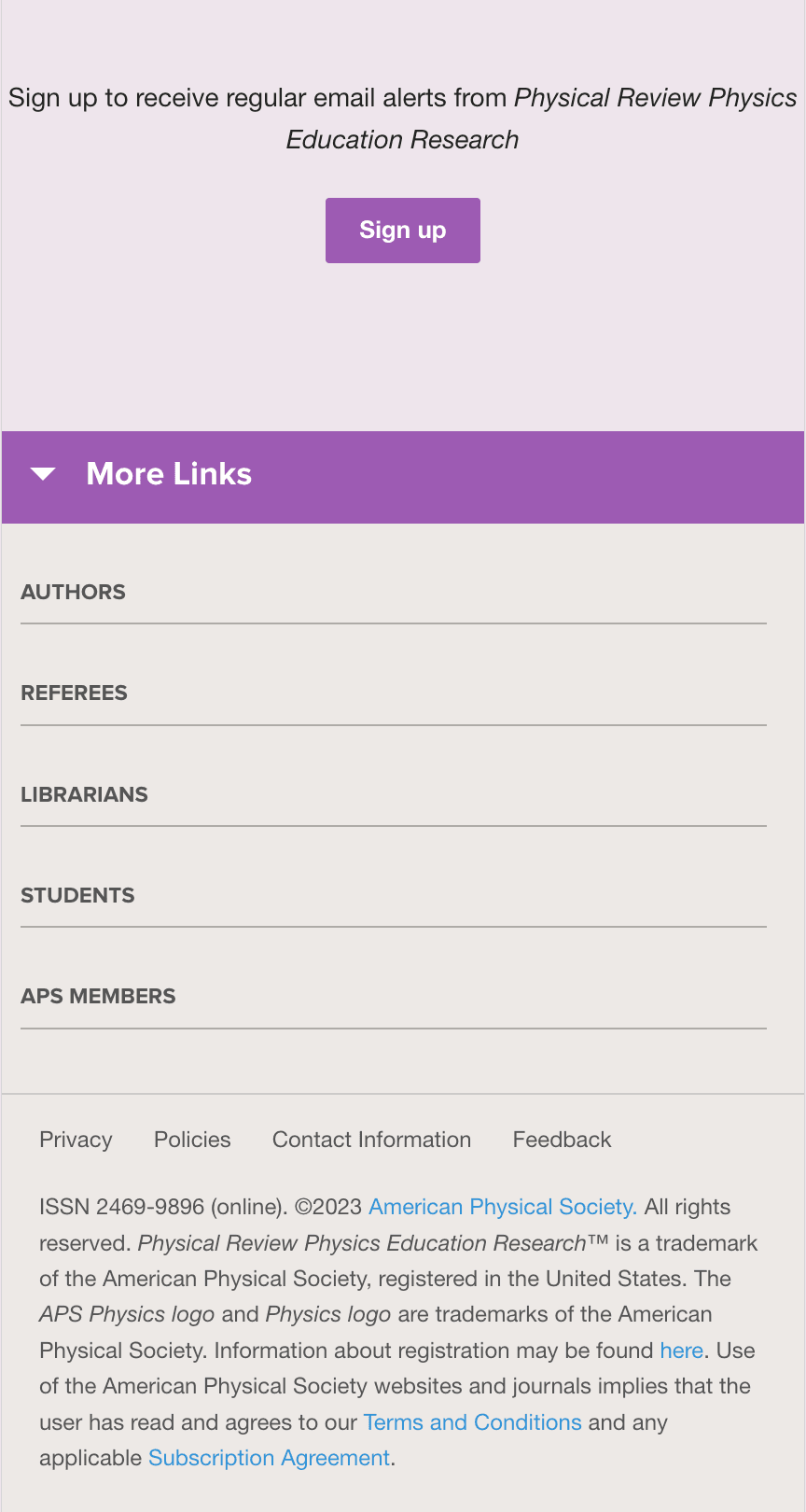
Most of the traffic to the APS Journals site was related to finding specific articles via outside search, landing on a particular article, and leaving. A key business priority with the redesign was increasing reader time on site and increasing browsing. Based on my research during discovery it was obvious that poor information architecture in the navigation (global and journal-specific) was hindering findability within the site. Everyone agreed that a full reorganization of the site's global navigation would be ideal, but was also fully out of scope due to time and technical constraints. In the existing form both navigation and sub-navigation lacked hierarchy due to too many unnecessary items being included. Working with stakeholders I negotiated the removal of several unneeded options, and the relocation of several other required links to the footer. Including fewer items greatly improved the hierarchy and made the overall combination of the global and journal-specific navigations less overwhelming.
I also added a few key elements that were missing, such as a "Home" element for the journal navigation that made it much simpler to browse the journal as a section. I also added a clearly labeled "article lookup" option, as this had previously been included as an inaccessible caret button within the search field, but was a feature widely used by both internal and external users. By removing extraneous items and highlighting the most important options the navigation became much easier to use.
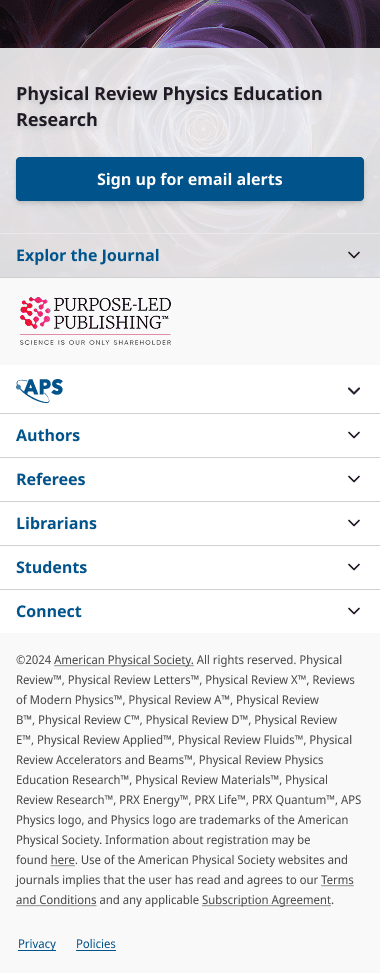
Part of the updated branding we received from the marketing team was new imagery associated with each journal. I leaned into reinforcing that journal-to-image connection by using the images as a visual differentiator in the journal navigation cluing the user in to which section of the site they were currently in. The journal title was also clearly included in the heading (with an underlaid background to ensure sufficient visual contrast for legibility). On mobile I combined the two navigation layers into a single flyout, removing the previous accessibility issues related to having multiple competing flyout menus — one of many places that by rethinking the layout and interaction that I was able to make the site more accessible.




All Journals Page
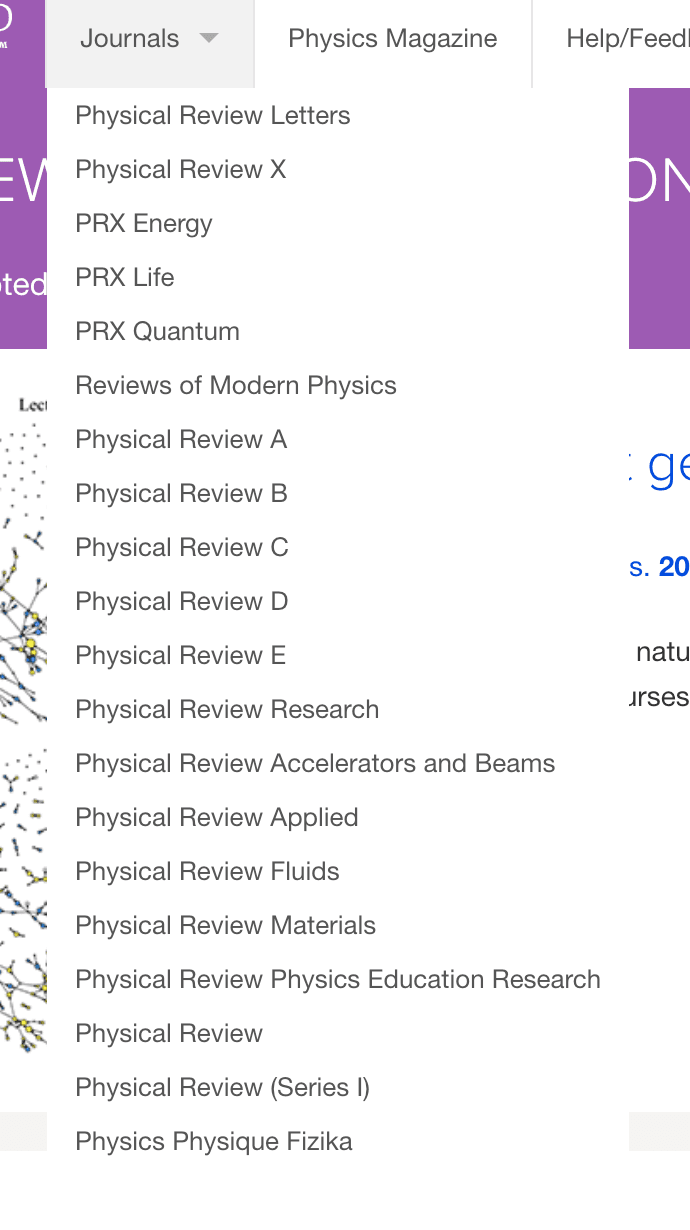
An accessibility issue that was flagged by the auditors and myself was the "Journals" drop down menu in the global navigation. It listed all of the journals on the site, but without any supporting information making it only minimally useful for browsing. The menu itself was difficult to navigate by keyboard and didn't have any easy way to skip over it on your way to the rest of the navigation links.
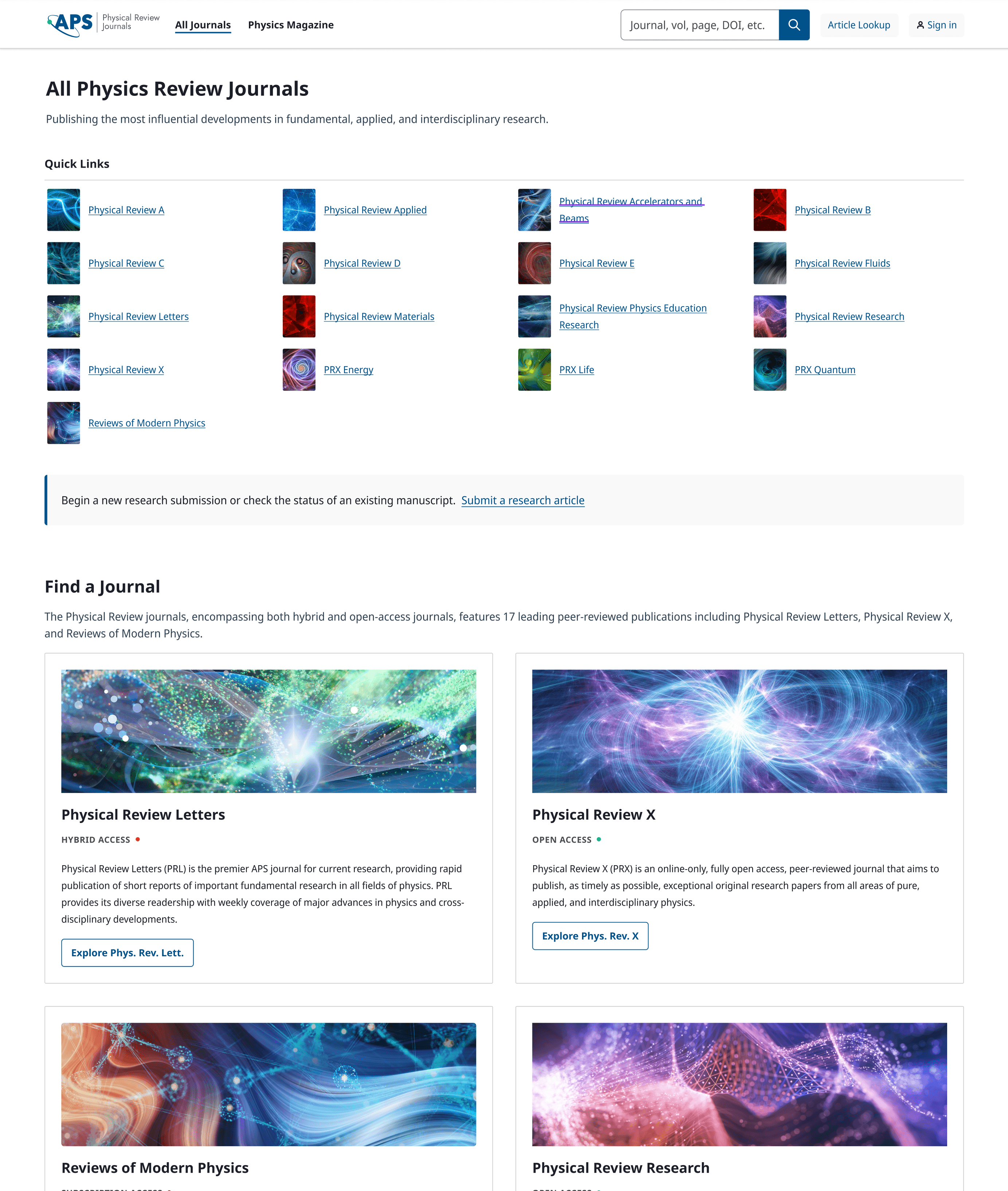
After discussing the accessibility issues with the engineering team, it was clear that the best solution from both an engineering and UX perspective would be to remove the dropdown. Clicking through to a page and then on to the correct journal wasn't a significantly longer user journey than the dropdown, and the resulting page provided space for a great deal more context to users around the focus of each journal. It also provided yet another place to feature the journal-specific brand imagery.
Search Redesign
The search experience had one of the highest concentrations of accessibility and UX issues on the site and was frequently noted by internal stakeholders as being effective but hard to use.
A few of the issues
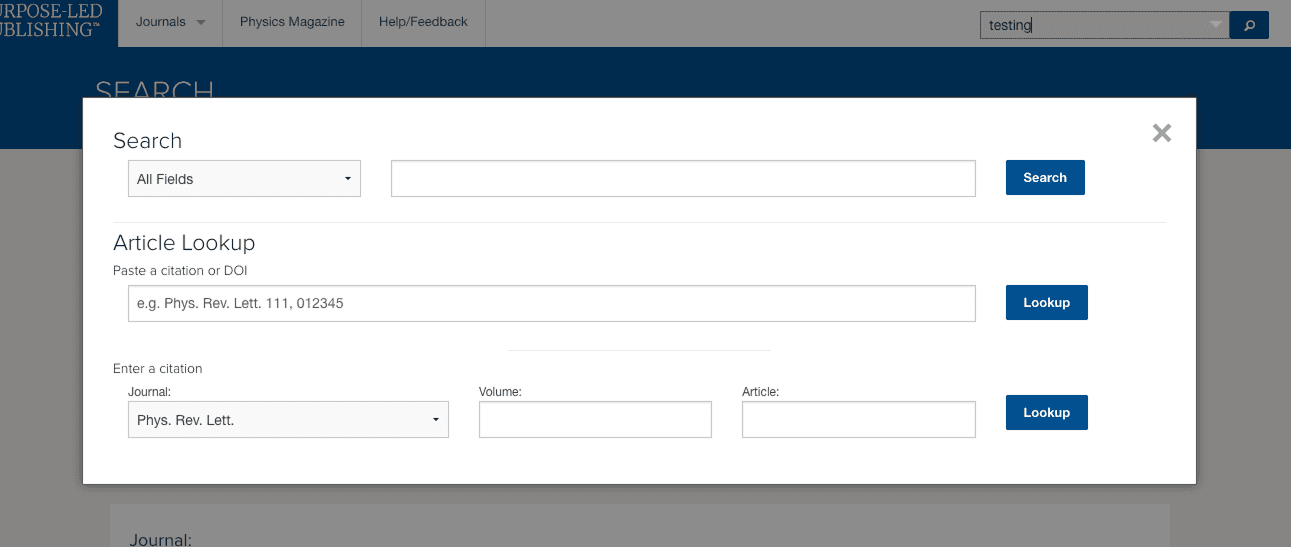
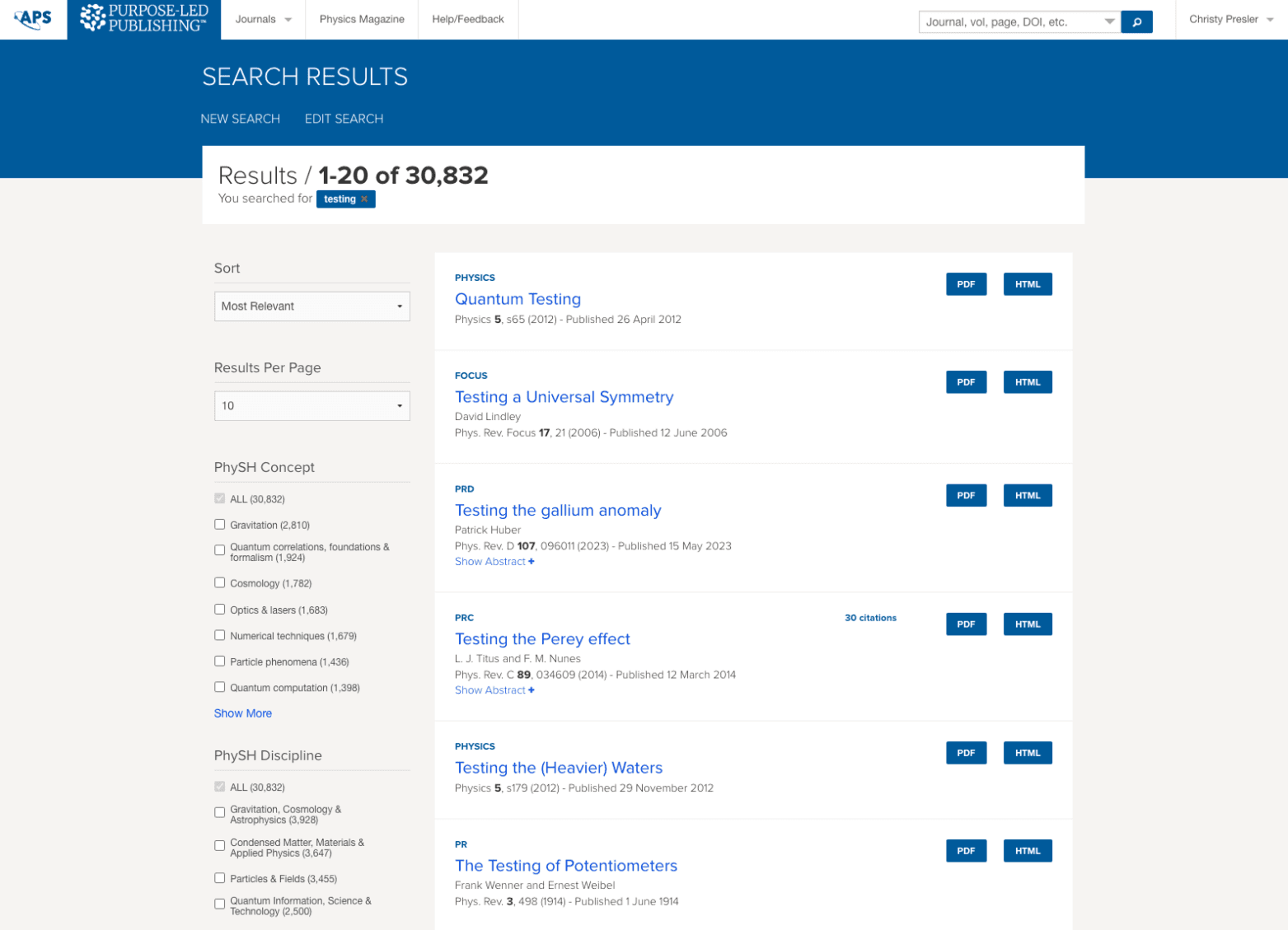
The search input in the navigation bar had a "hidden" button that opened a search modal containing multiple different forms of search. Not only did the presence of this button within the search input make it very easy to accidentally fire the modal when attempting to submit the search form (a thoroughly jarring experience), but triggering the modal also erased your query — requiring remembering and retyping what you are looking for. In short, the intention to have more specific search options was good based on the detailed nature of the site's content, but the implementation was a mess.
Creating really smooth search UX takes serious effort, iterative user research, and time. I had none of those. What I did have was solid information from stakeholders about which parts of search worked well, which parts needed to be overhauled due to accessibility violations, and a lot of other pieces of a search experience that needed to align more with UX standard patterns.


My solution
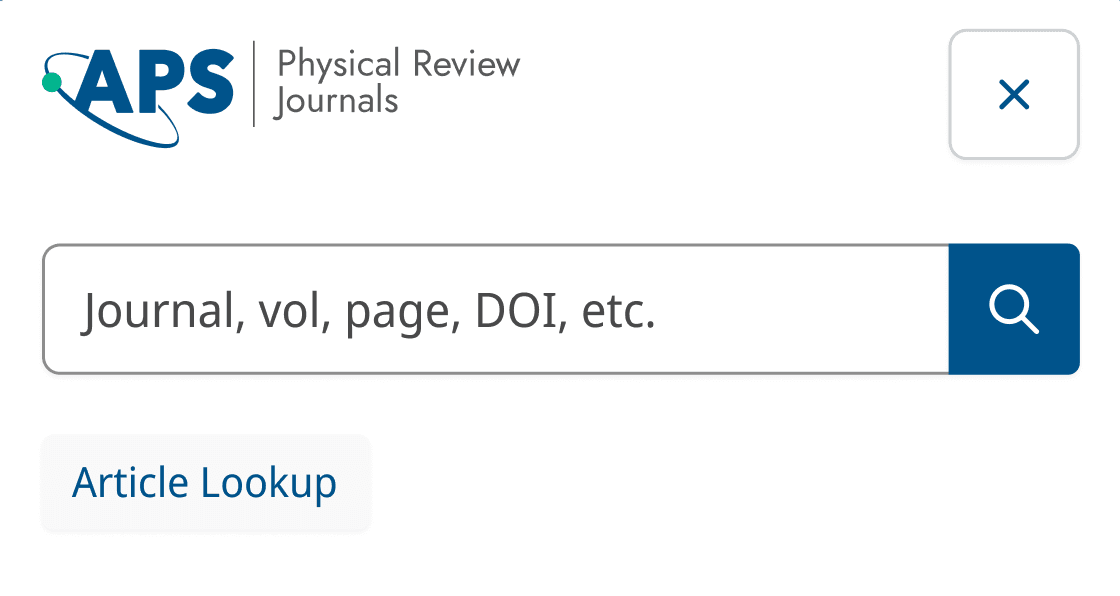
- Fully separate the article lookup from the main search functionality on both desktop and mobile. Makes it much clearer that the feature exists, and allows the user to make a choice about whether to use it.

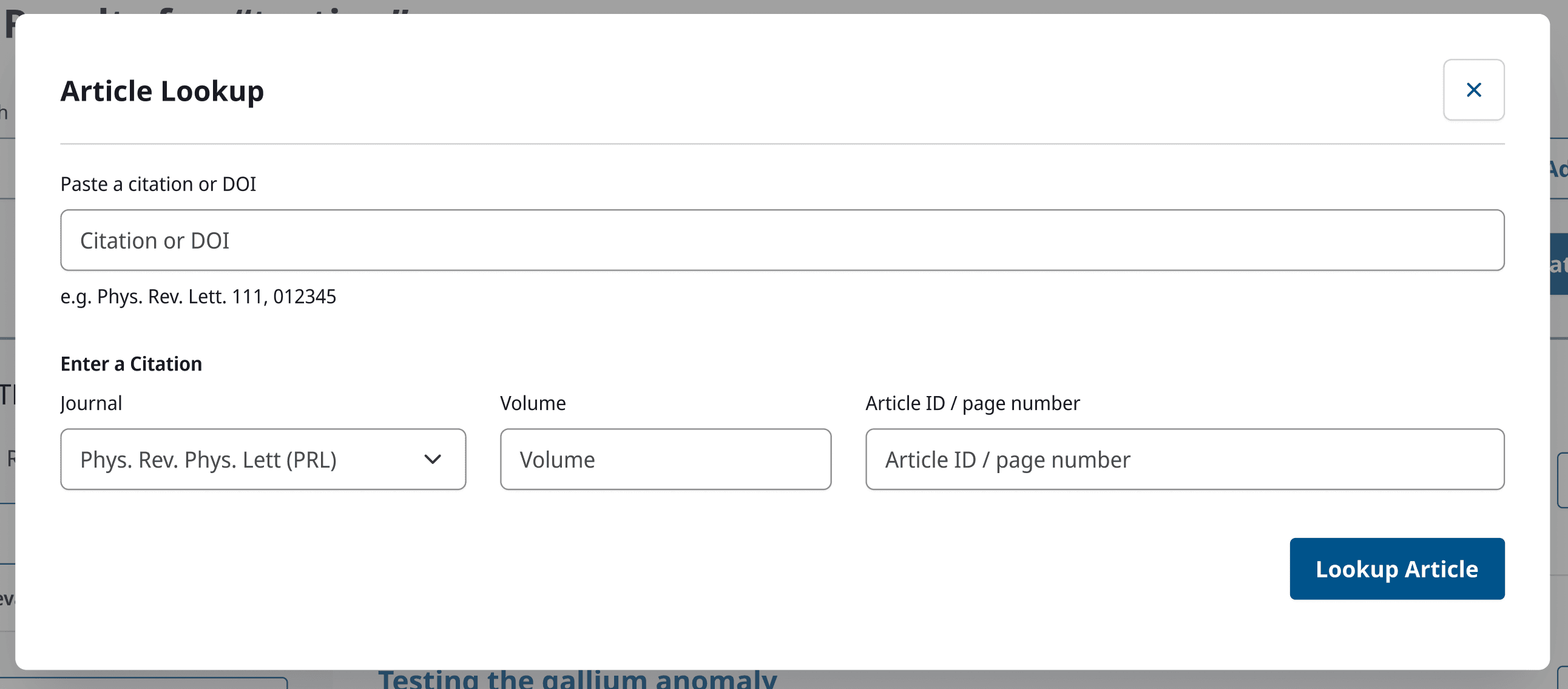
- Simplify Article Lookup to only include one submit button and reduce cognitive overhead for the user, while maintaining the key fields identified by stakeholders as helpful for looking up articles.
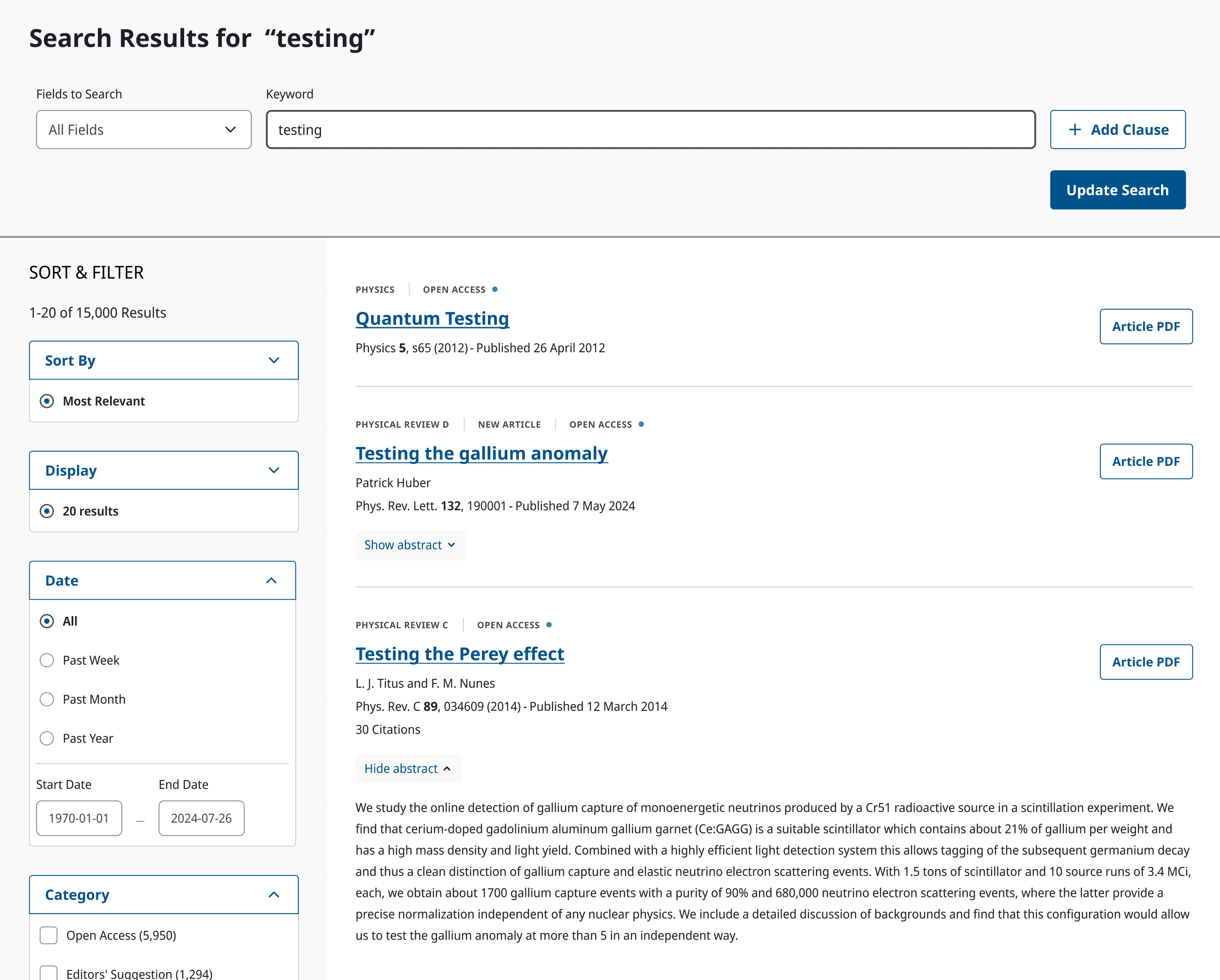
- Remove as many extras from the search results page as possible to improve the information hierarchy. I was asked to preserve the search editing feature, as it is heavily used, but I included it into the page experience instead of directing the user to an entirely separate experience. The search cards were also simplified to improve their visual hierarchy, and to make them easier to scan while maintaining key features: pdf download, author and journal information, citation numbers, and the ability to preview the abstract. The result is abundantly more usable than the previous version, and works within the bounds of the technical options available.
What I Learned
This was an intense project, both in terms of time line and due to the limited scope. As a designer it can be a frustrating experience to be tasked with making something better, while simultaneously being told that you can't actually change it in any significant way. Threading the needle on what needed to be done and what could be done was a serious challenge. In the end I enjoyed the challenge more than I found it frustrating, and despite the limitations imposed on me I was pleased with the amount of improvement I managed to produce for the site in terms of UX. The brand refresh alone was a big win for the site, but working with technical stakeholders to identify key user flows that were worth the extra effort to improve made a huge difference in how users were able to interact with the site over all.